Why this matters
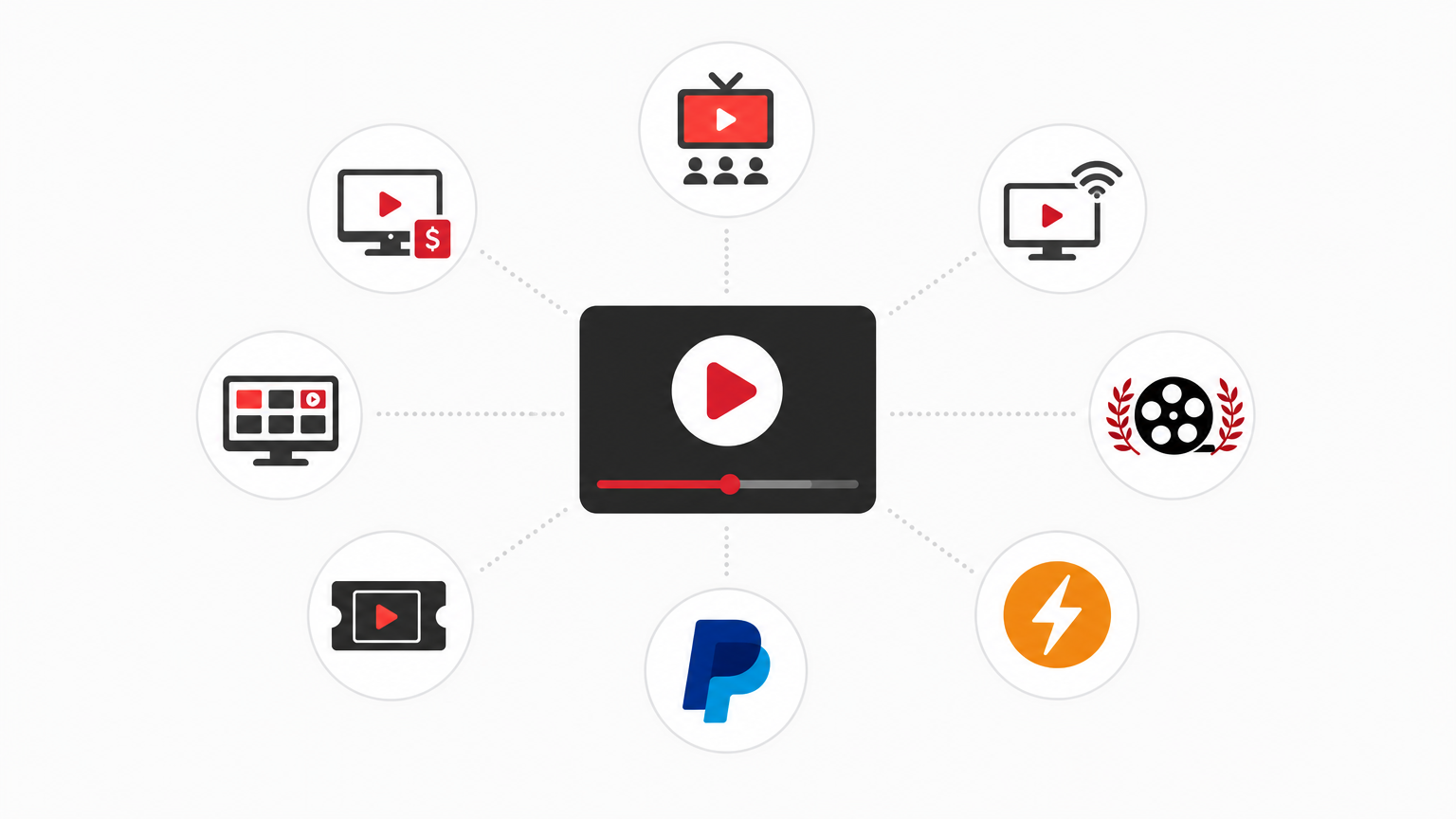
Most online advice funnels creators toward the same handful of platforms and vague promises. This guide strips away the fluff and gives a practical, budget-minded playbook for how to monetize independent music videos outside of the YouTube grind. It focuses on four pillars you can combine into a diversified revenue stack: ad supported FAST and OTT channels, on demand Pay Per View rentals, festival streaming packages, and direct payouts via tools like Bitcoin Lightning and PayPal.
Quick revenue stack overview
- Ad supported FAST and OTT channels - passive, discoverable, decent for catalog content.
- On demand rentals and Pay Per View - direct paid views for premiere content or special releases.
- Festival streaming - exposure plus licensing or package fees for curated festival audiences.
- Direct payments - tips, micro payments, and instant payouts using PayPal or Bitcoin Lightning.
Step 1 - Prep rights, stems, and metadata
You cannot monetize cleanly without clear rights and good assets. Spend time here so every distribution option is available when you need it.
- Clear the rights - confirm ownership or written permission for composition, master, samples, and any third party visuals.
- Deliverables - export a 1080p or 4K master, a web-optimized MP4, and a high quality audio stem or WAV. Include a clean instrumental if you plan to license for sync.
- Metadata - title, artist, release date, genre, composer credits, ISRCs when available, brief synopsis, and a 1 to 2 line hook for promotion. Proper metadata enables platform discovery and accurate payouts.
- Artwork - clean square thumbnail and a 16x9 poster for streaming. Simple and readable at small sizes.
Step 2 - Pick distribution channels with priorities
On a limited budget, prioritize channels that unlock both exposure and direct revenue. Here is a practical order to consider.
- FAST and ad supported OTT
FAST channels on Roku, Apple TV, Android TV, and web deliver passive views for catalog music videos. They work well for building long tail revenue and discovery. Prioritize FAST when you have a catalog of videos or a themed block that keeps viewers watching.
- On demand rentals and Pay Per View
Reserve PPV for premieres, director cuts, extended stories, or special compilations. Rentals can be paired with a free ad supported window to maximize both discovery and short term revenue.
- Festival streaming
Use festival streaming not just for prestige but as a coordinated release point. Festivals can lift your visibility and feed viewers into rental or channel revenue. Offer festival audiences an exclusive rental or tip option after the screening.
- Platform placements and embeds
Keep YouTube and social placements for discovery and backlinks. Do not rely on them as your only monetization path. Use platform placements to drive traffic to paid channels, rentals, or direct payment pages.
Step 3 - Pricing Pay Per View and rental windows
Pricing is part math and part psychology. You want a price that covers production and promotion without scaring off fans.
- Single video rental - $0.99 to $2.99 for a standard music video. Use the lower end for discovery, higher for exclusive or extended versions.
- Premium premiere or feature - $3.99 to $7.99 for deep cuts, behind the scenes, or long form music films.
- Bundles - package 3 to 5 videos or a video plus short documentary for a 20 to 40 percent bundle discount. Bundles increase average order value.
- Timing - offer PPV for 48 to 72 hours at premiere price, then move to a cheaper rental window, then to a free ad supported window for long tail exposure.
Step 4 - Setup payouts and money flow
Choose payout rails that match your creator needs. Fast, low fee payouts are increasingly important for independent makers.
- PayPal - reliable and familiar. Watch fees and withdrawal thresholds. Good for one off tip flows and small sales.
- Bitcoin Lightning - excellent for micro payments and near instant settlement with low fees. Useful when you want instant direct payouts for tips or PPV that scale internationally.
- Platform payout timing - ad supported FAST and OTT returns often arrive on a monthly schedule after reporting and minimum thresholds. Build cashflow plans accordingly.
- Accounting - track every sale and payout. Tag revenue by channel and by title so you can see which videos and packages perform best.
Step 5 - Pair festival streaming with revenue
Festival screenings can be monetized in three practical ways.
- License fee - charge the festival a small streaming license or festival package fee for rights during the event window.
- Audience monetization - enable PPV rentals or tip pages for viewers after the screening. Make the path to pay obvious and low friction.
- Package deals - sell a festival package to organizers that includes a streaming screening plus a discounted rental window for attendees and post festival distribution on FAST or VOD channels.
Step 6 - Promotion on a shoestring
Monetization depends on audience attention. Use lightweight tactics that scale.
- Teaser clips - 15 to 30 second clips for socials and connected TV trailers.
- Email and direct links - collect emails and direct people to a single landing page with options to rent, tip, or follow a channel.
- Cross promotion - work with filmmakers, festivals, and directors to swap newsletter mentions and social posts.
- Playlists and curation - group related videos into a channel block on FAST to increase session time and ad revenue.
Step 7 - Measure what matters
Focus on three metrics first: conversion rate from view to paid, average revenue per paying viewer, and retention or repeat purchases. Use these numbers to tweak price, window, and promotion.
Practical release checklist
- Clear rights and gather ISRCs and credits.
- Export masters and web deliverables.
- Create metadata and artwork.
- Decide window strategy - premiere, PPV, rental, free ad supported.
- Choose payout rails - PayPal, Bitcoin Lightning, or platform payouts.
- Submit to FAST and OTT or select an aggregator that reaches those channels.
- Plan teasers, email blast, and festival outreach timed to premiere.
- Track revenue and adjust price or window after the first 2 to 4 weeks.
Founder-level perspective
VersusMedia has supported indie creators since 2001. From that experience a few practical truths stand out. First, diversify revenue early. Relying on a single platform creates brittle income. Second, clarity in rights and metadata is non negotiable. Third, make it easy for fans to pay in the way they prefer. For some that is a rental, for others a one click PayPal tip, and for international micro fans Bitcoin Lightning works better.
How VersusMedia fits in
VersusMedia operates FAST channels and an on demand library across Roku, Apple, Android, web, and connected TV. For creators that means a path to ad supported exposure plus the option to run Pay Per View rentals and festival streaming packages. VersusMedia supports PayPal payouts and emerging tools such as Bitcoin Lightning to help creators access money faster and with fewer friction points. If you need a partner that understands indie budgets and DIY workflows, VersusMedia is built around distribution options that keep creators in control.
Next steps you can take today
- Package one video for a 72 hour premiere rental and a subsequent ad supported window.
- Prepare a festival streaming package that includes a short post screening PPV offer.
- Set up a simple PayPal or Lightning tip page and link it on every platform.
FAQ
-
Q: Can I run Pay Per View and also keep my video on YouTube?
A: Yes. Use YouTube for discovery and a short trailer, then direct traffic to your rental or PPV page for monetization. Keep windows clear so fans know what is free and what is paid.
-
Q: How much will platforms take from PPV or rental sales?
A: Split and fee structures vary by platform. Expect platform fees and payment processing cuts. That is why offering direct payouts like PayPal or Lightning for tips can improve net revenue. Always read the platform agreement before submission.
-
Q: Is Bitcoin Lightning complicated for creators?
A: There is a learning curve, but Lightning is simple to use once set up. It excels at low fee micropayments and instant settlement for international fans. Consider it alongside PayPal rather than as a complete replacement.
-
Q: How should I price a festival streaming package?
A: Base pricing on your goals. For exposure prioritize lower festival license fees and include a paid follow up option for attendees. For revenue-first releases, charge a reasonable license and add a PPV option for non attendees.
Ready to stop gambling on a single platform and build a resilient revenue stack? Package one video, pick two monetization rails, and test. If you want a partner that knows indie distribution and supports PayPal and Bitcoin Lightning payouts, learn more about VersusMedia and how we work with filmmakers and musicians on independent release strategies.