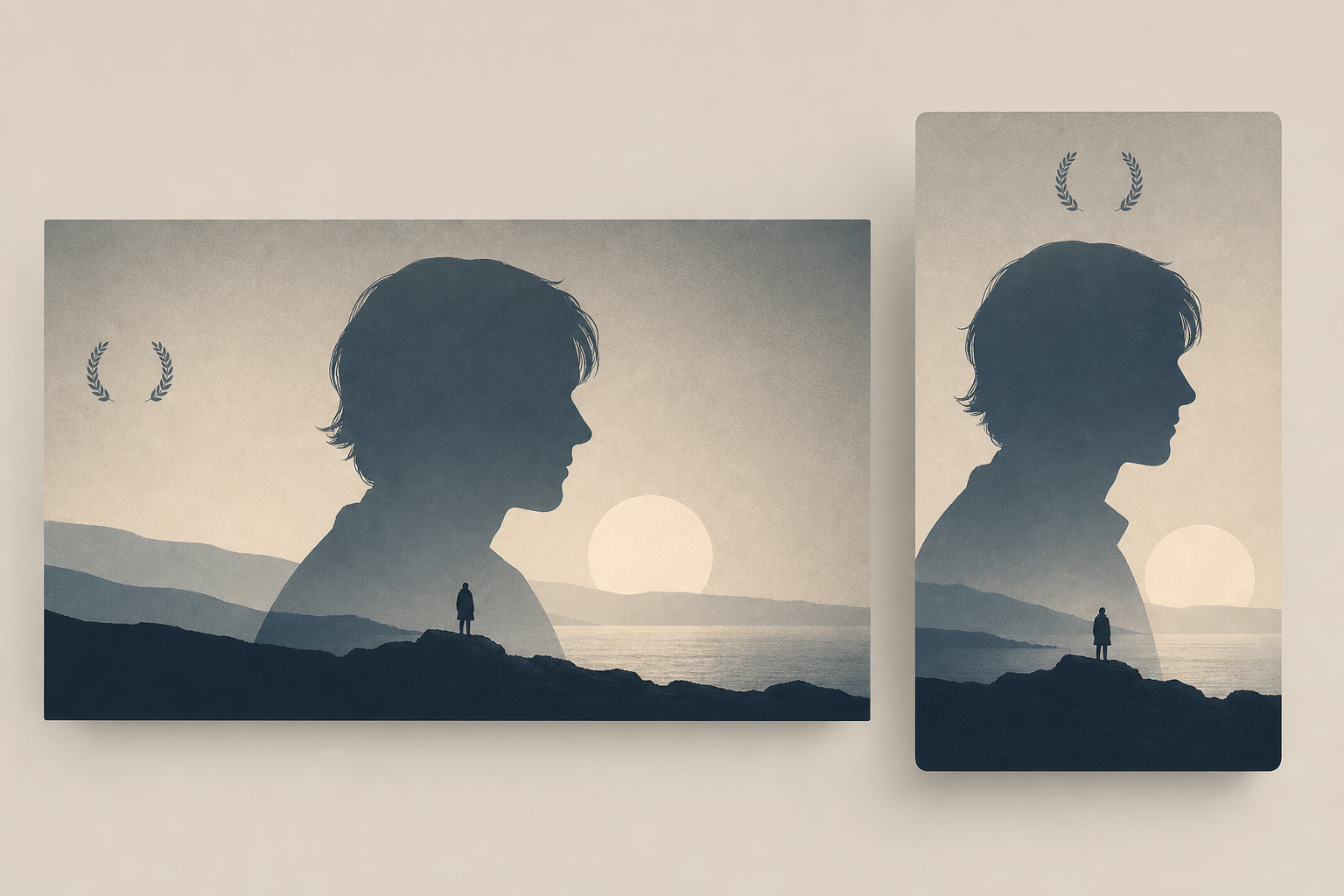
AI image generation is a fast tool for indie filmmakers and music video directors who need high-quality promotional art without a big budget. The trick is to treat AI as a design engine, not a final answer. This article gives concrete prompts, aspect ratios, export settings, a step-by-step workflow, and legal guardrails that actually fit distribution realities on connected TV, FAST channels, and festival platforms.
Start with the design brief filmmakers actually use
Before opening an ai image generator, answer four quick questions that keep your output usable across platforms.
- Where will this image appear? (Roku thumbnail, FAST channel key art, festival poster, Instagram feed, story.)
- Who is the audience? (festivals look for legibility at distance; TV thumbnails need bold shapes at small sizes.)
- What mood and palette? Choose two dominant colors and one accent to preserve visual clarity when scaled down.
- What must stay legible? Title area, release year, aspect-safe zone for logos and laurels.
Prompts that produce usable assets
Structure prompts with subject, composition, style, palette, and technical details. Keep prompts short and repeatable. Use negative prompts to remove unwanted clutter.
Poster prompt template
Use this for festival posters and high-res prints.
- Subject and composition: "single silhouette facing left, off-center, large negative space right"
- Style and mood: "muted cinematic palette, high contrast, subtle film grain, analog texture"
- Design cues: "minimal composition, abstract shape, quiet tension, centered visual anchor"
- Technical: "high resolution, clean edges, flat background, minimal laurels"
Example combined prompt: "single silhouette facing left, off-center, large negative space on the right; muted cinematic palette with teal and warm beige accents; high contrast, subtle film grain, analog texture; minimal composition and abstract shape; high resolution, clean edges"
Connected TV thumbnail prompt (16:9)
Make a bold image that reads at 1920x1080 and scales down to grid size.
- Subject: "close-up silhouette or bold iconographic shape"
- Composition: "centered subject, strong contrast, no small text"
- Style: "flat background, slight vignette, cinematic colorgrade"
- Technical: "16:9 composition, clear subject-to-background separation"
Social promo and vertical crops (4:5 and 9:16)
Generate a master image that can be cropped for square and vertical formats. Use a centered subject or a composition with safe margins to the top and bottom.
Aspect ratios and resolution guide
Design a master file large enough to crop and export multiple sizes. Recommended targets are practical, not mystical.
- Master file: 3840 x 2160 or 3000 x 1688 at 300 dpi in sRGB. This gives room to crop without loss.
- Connected TV / preview thumbnail: 1920 x 1080, 16:9. Test at 256 x 144 to simulate small grid thumbnails.
- Square icon / channel logo: 1:1 variant, 1024 x 1024 or 512 x 512 for fast exports.
- Social feed: 1080 x 1080 for square, 1080 x 1350 for 4:5 vertical crop.
- Stories / Reels: 1080 x 1920, center important elements inside the middle 1080 x 1350 safe area.
Always test how thumbnails look at grid size and in low-light TV environments. Reduce fine detail and boost contrast for better legibility on TVs and streaming boxes.
Export settings and file formats
Prepare separate exports for platform needs. Keep an editable master and export optimized files for upload.
- Master editable: Save a layered PSD or high-quality TIFF in sRGB. Keep all intermediate files and prompt histories.
- Television preview: Export PNG at 1920 x 1080 for sharp shapes. Use 16-bit if supported, otherwise 8-bit sRGB fine.
- Photographic social images: Export JPEG at quality 85 to 92. Use progressive JPEG only for web galleries, not for TV ingestion systems that prefer baseline JPEG or PNG.
- Icons and logos: Export PNG with transparent background at multiple sizes: 1024, 512, 256 px. Also keep a vector version for print and large format.
- Color and profile: Always export in sRGB unless a platform requests a different profile. Convert to sRGB before final export to reduce color shifts on TVs.
Refinement workflow: AI plus human craft
- Generate a batch of 6 to 12 variations from your prompt. Pick 2 or 3 that match composition goals.
- Import chosen images into a pixel editor. Clean up edges, remove artifacts, and create a clear title area.
- Swap in licensed fonts for titles and credits. Do not rely on AI to generate legible typography.
- Add film grain or colorgrade to match the film's tone. Keep a subtle amount to avoid noisy compression at small sizes.
- Create crop templates for 16:9, 1:1, and 4:5. Lock critical content inside safe margins before exporting each asset.
Rights, licenses, and legal guardrails
AI tools do not remove the need for basic rights management. Be practical and document your process.
- Check the generator's commercial license before using images in paid distribution or festival promotion.
- Avoid prompts that request or recreate the appearance of living public figures without releases.
- If you use a reference photo as an input, ensure you have the right to modify and distribute it.
- Keep prompt histories, input images, and export versions. Festival programmers and distributors sometimes ask for provenance.
- When in doubt, treat AI output as a drafted element you then materially edit. The more original content you add, the safer the ownership case.
Practical use cases for indie creators
Here are four quick, realistic scenarios and what to generate.
- Festival poster for hybrid screening: Create a vertical master with clear title area, laurel placement, and bleed for print. Export a high-res TIFF for printers and a JPEG for online festival pages.
- Roku or FAST channel thumbnail: Produce a 16:9 image focused on a single bold shape or character silhouette. Test at small sizes to ensure it reads in channel grids.
- Music video promo: Make a square or 4:5 crop with strong color contrast and a visual motif repeated across single and carousel posts to build recognition.
- Channel art and icons: Generate a set: one wide hero for channel banners and one or two square icons. Keep typography separate so icons remain legible when scaled.
Speed tips and tool choices
Use creative constraints to save time. Limit color palette, pick one photographic texture, and avoid busy backgrounds. Choose AI models with commercial-clear licensing when you plan to monetize or distribute at scale. Keep a short library of prompts that work for your genre and iterate from there.
Brand perspective and distribution reality
Independent creators need images that survive platform transforms. VersusMedia has seen thumbnails and posters that lose impact when compressed for TV grids. Building a small, repeatable asset system with AI-generated masters plus human refinement saves time and avoids last-minute panics when uploading to connected TV and FAST platforms.
FAQ
Q: Which ai image generator can I use for commercial distribution?
A: Licensing changes fast. Choose a generator that explicitly grants commercial use in its terms, and keep records of the version and prompt you used. When possible, add original elements so the final work is clearly your creative output.
Q: Can I use AI art directly for a film festival poster?
A: Yes, if the tool allows commercial use and you document inputs. Festivals may request source material or proof of rights. Prefer to edit and add original typography and layout to strengthen ownership.
Q: What if the AI generates a human face that looks like someone real?
A: Avoid using images that resemble a real person without a signed release. If a generated face is particularly realistic, replace or heavily alter it, or use abstract shapes and silhouettes instead.
Q: How do I make thumbnails readable on TVs?
A: Use bold, high-contrast shapes, limit text, and keep critical elements inside a central safe zone. Export a test thumbnail at the same pixel size as the platform grid to preview legibility.
AI image generation is a practical tool for indie creators when paired with cautious workflows and basic rights hygiene. Produce a high-resolution master, refine it by hand, and export multiple aspect ratios with safe margins. That process keeps creative control and delivers assets that work across connected TV, FAST channels, festival pages, and social feeds. VersusMedia supports creators with streaming distribution, festival packages, and monetization options, and encourages submitting assets that follow these practical steps to improve discoverability and viewer conversion.